Surveyor Special Permissions
Most surveyors do exactly what the name suggests -- they observe and report. But some surveyors are trusted enough to do more than that, and Sytewise gives you two optional permissions to extend when the situation calls for it.
Create Permission
Create permission lets a surveyor initiate their own surveys directly from the Surveyor Portal without waiting for an admin to set one up first. They can create a survey for any property and trade in the account as long as that trade has at least one fixture. They search for the property, select the trade, and complete the form themselves.
This is the right permission for a surveyor you trust to work independently. If they are already on a property regularly -- doing a recurring lighting check across a large portfolio, walking a monthly condition report, or auditing a system before a contract renewal -- there is no reason to make an admin send a new survey every time. Create permission keeps all of that activity logged inside Sytewise where it is useful, without creating extra work in the office. The survey still shows up in the admin system flagged as surveyor-created, so you always know where it originated.
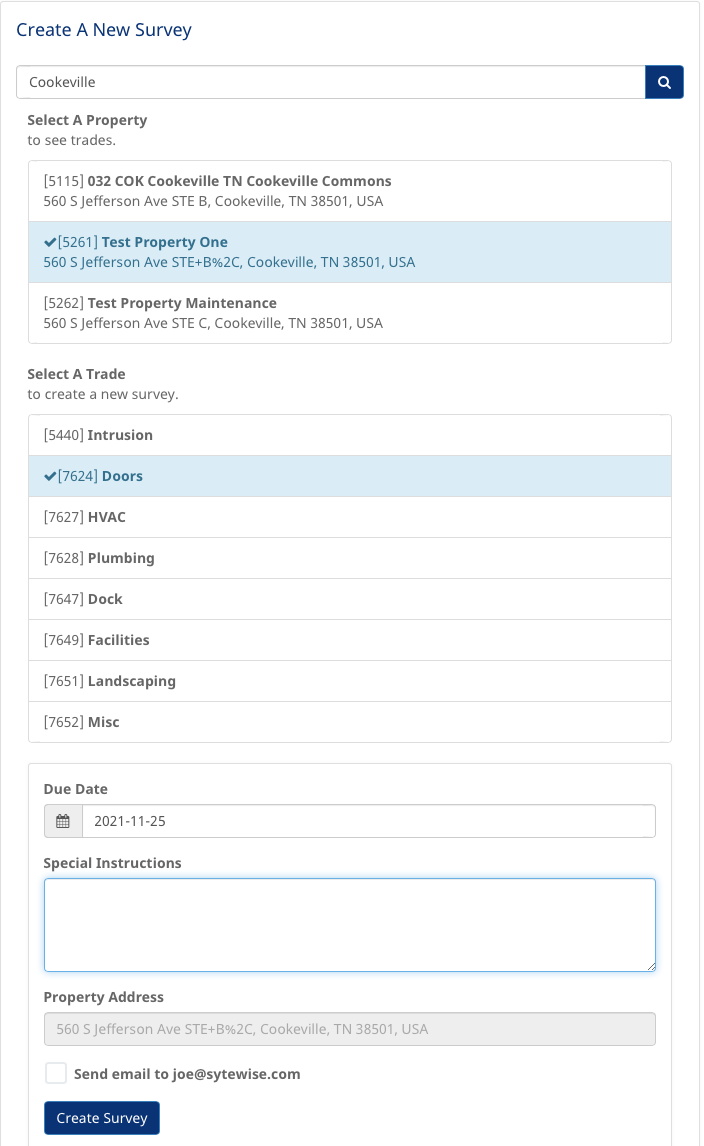
A surveyor can create a survey in the survey portal by searching for a property, selecting a trade and completing the form.
Surveyor Created Surveys
If the surveyor has permission to create surveys here is how to create them.
- Log into the survey portal
- From the home page click “Create A New Survey”
- From any page click the “crosshairs” icon in the footer navigation bar
- In the property text search box enter any part of the property title or address, as long as you enter at least 3 characters.
- Choose a property from the list of found properties.
- Only trades with fixtures will appear below the properties.
- Choose a trade.
- Choose a due date
- Enter any special instructions
- Choose to have an email sent to yourself (the surveyor)
- An email informing of the new survey will be sent to you and any admin who has favorited the property.
- If none, all super admins will receive an email.
Edit Permission
Edit permission lets a surveyor make direct changes to fixture and part records while completing a survey. For a surveyor you trust as a reliable source of field information, this is a powerful option.
With Edit permission a surveyor can update fixture names and descriptions to reflect what is actually installed, correct part details that no longer match what is in the field, and flag any fixture as "This fixture DOES NOT EXIST" if something has been removed or was never there. That flag does not delete the fixture -- it pins a note to the record attributed to the surveyor, and the note appears in the completed survey so the admin team sees it in context, and can enter the data correctly.
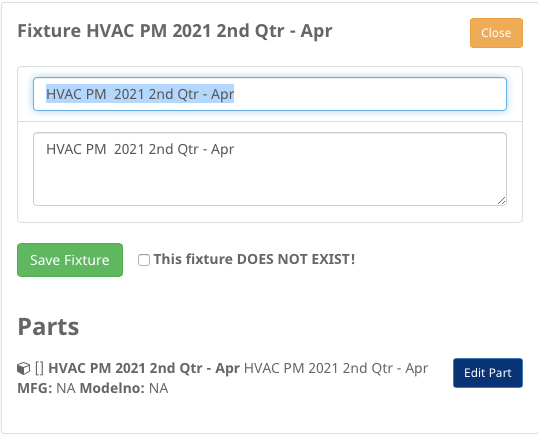
With "Edit" permission a surveyor can impose direct edits on the information in a fixture or part.